
What's Changed: Project Teams
Building out a project team one person at a time, across screen after screen, gets old fast. That's why we rebuilt this part of the app!
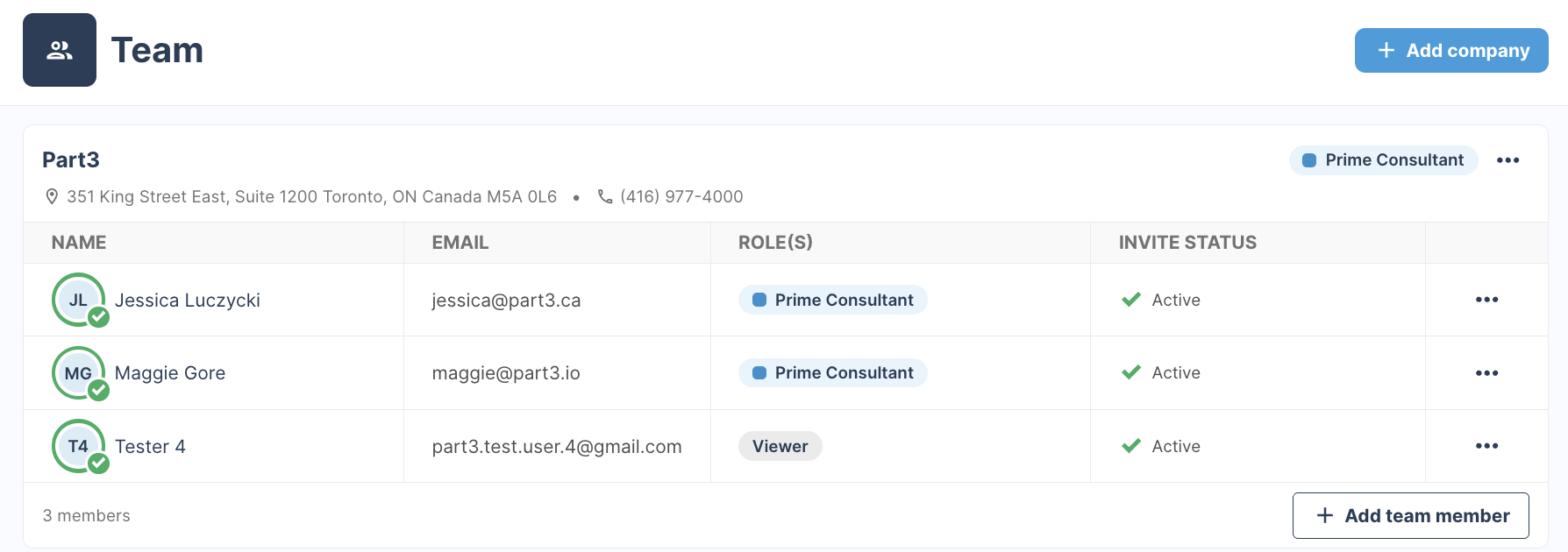
Now you add a whole company and its people together in one go, see your whole team on one page grouped by company, and invite everyone whenever you're ready. 👏
Coming to your account by August 24
We're rolling out the new Team page gradually, so you might see it before some of your teammates do. If you don't have it yet, no need to worry, you'll have it soon. Everyone will be up and running on it by August 24.
Why it's Better
- A simpler view. Your whole project team on one page, grouped by the companies they belong to.
- Add multiple people at once. One row per person, saved together, instead of one at a time.
- Invite people when you're ready. Set the whole team up now and send the invites later — no one hears from Part3 until you decide they should.
-
Better company importing and autocomplete. Pull companies you've worked with before out of your directory, and let team member details fill themselves in as you type.
Your existing team is untouched
Every company, person, role, discipline and permission you've already set up carries over exactly as it is. In-flight documents keep their assignees. There's nothing to migrate and nothing to redo.
What's Different?
- Companies come first. You add the company, give it a role, then save to add its members. People belong to a company rather than sitting in one long list.
- Known contacts come with the company. Add a company from your directory and the people you've worked with there are suggested for you, with their emails and roles already filled in. Remove anyone who isn't on this project, add anyone missing, then save.
Learn More
- Step-by-step instructions for adding companies, adding multi-disciplinary companies, adding people, and editing company or people details → Project Teams
As always, if you have any questions or see an issue with this document, please contact us at support@part3.io