
Choose which projects take filed emails (organization admins)
This feature is in BETA. Please reach out to support@part3.io if you would like to enable this workflow.
Organization admins decide which of your projects people can file emails to from Outlook: every project, only the projects you turn on, or none. This article is for Part3 organization admins.
We'll cover:
- Choose which projects take emails
- Turn email filing on or off for one project
- What people see when a project is turned off
- Suggest projects with AI
- Good to knows
Choose which projects take emails
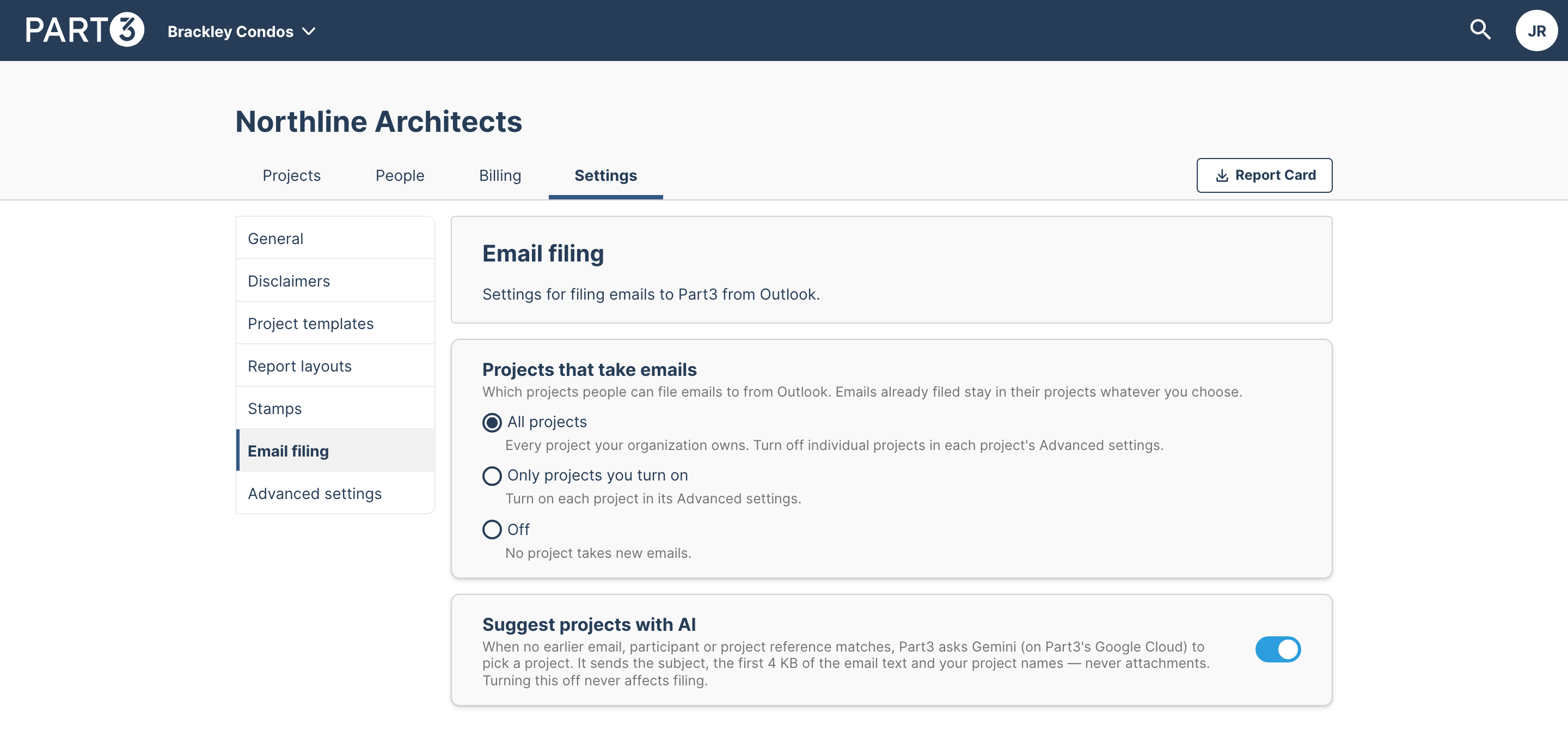
Step 1: Open your organization in Part3 and select Settings.
Step 2: Select Email filing.
Step 3: Under Projects that take emails, choose one:
- All projects (the default): every project your organization owns. You can still turn off individual projects.
- Only projects you turn on: no project takes emails until you turn it on in its own settings.
- Off: no project takes new emails.
The change saves straight away.
Good to know: Emails already filed stay in their projects, whichever option you choose. People can still read them on each project's Emails page.
Turn email filing on or off for one project
Step 1: Open the project and select Settings in the project's side navigation.
Step 2: Select Advanced settings.
Step 3: Use the File emails to this project switch. The text under it explains how your organization's choice applies to this project.
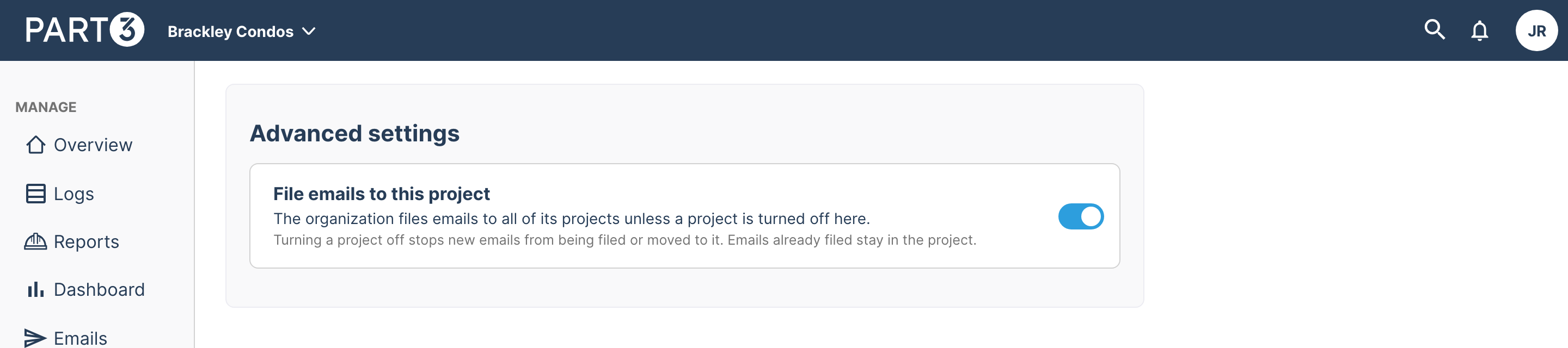
- With All projects, turn the switch off to stop filing to this one project.
- With Only projects you turn on, turn the switch on to start filing to this project.
- With Off, the switch can't be changed. Change your organization's setting first.
Everyone in your firm can see the switch, but only organization admins can change it.
Hot Tip: Setting a project's switch back to match your organization's default clears the project's own setting, so it follows any later change to your organization's choice.
What people see when a project is turned off
- In Outlook, the project isn't offered when filing or moving an email.
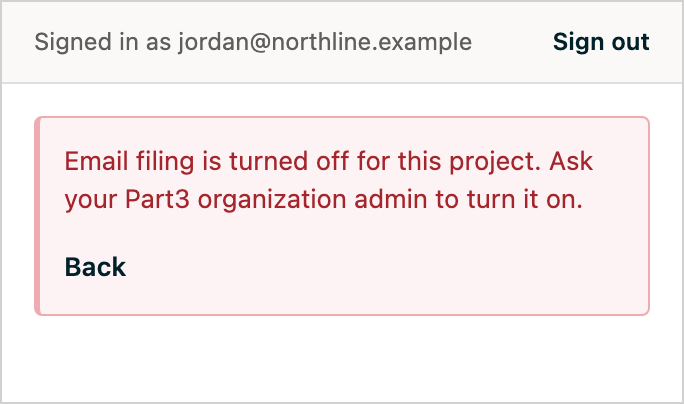
- If someone tries to file to it anyway, for example from a suggestion made before you turned it off, the pane says: Email filing is turned off for this project. Ask your Part3 organization admin to turn it on.
- In Part3, the project isn't offered when moving emails from another project.
The project's Emails page and its filed emails stay as they are. You will not lose any emails or folders if an org admin toggles off the emails setting.
Suggest projects with AI
On the same Email filing settings page, Suggest projects with AI controls whether Part3 may ask AI to suggest a project when nothing else matches. Turning it off never affects filing. See Good to know in File emails to Part3 from Outlook for what is sent.
Good to know
- Who can change these settings: organization admins only. Everyone else sees them read-only.
- Email filing must be available to your organization. If you don't see Email filing in your organization settings, contact support@part3.io.
- The Outlook add-in is installed by your Microsoft 365 administrator. See Deploy the Part3 add-in for Outlook (IT admins). If your mailboxes are on your firm's own Exchange Server, your Exchange administrator installs it instead; see Deploy the Part3 add-in on on-premises Exchange (IT admins).
As always, if you see any issues with this article or have questions, please reach out to support@part3.io